Wiring Test Automation Into CI/CD
Running Playwright suites in Jenkins, publishing HTML reports and traces, and treating pipeline failures as first-class bugs.
July 29, 20266 min read
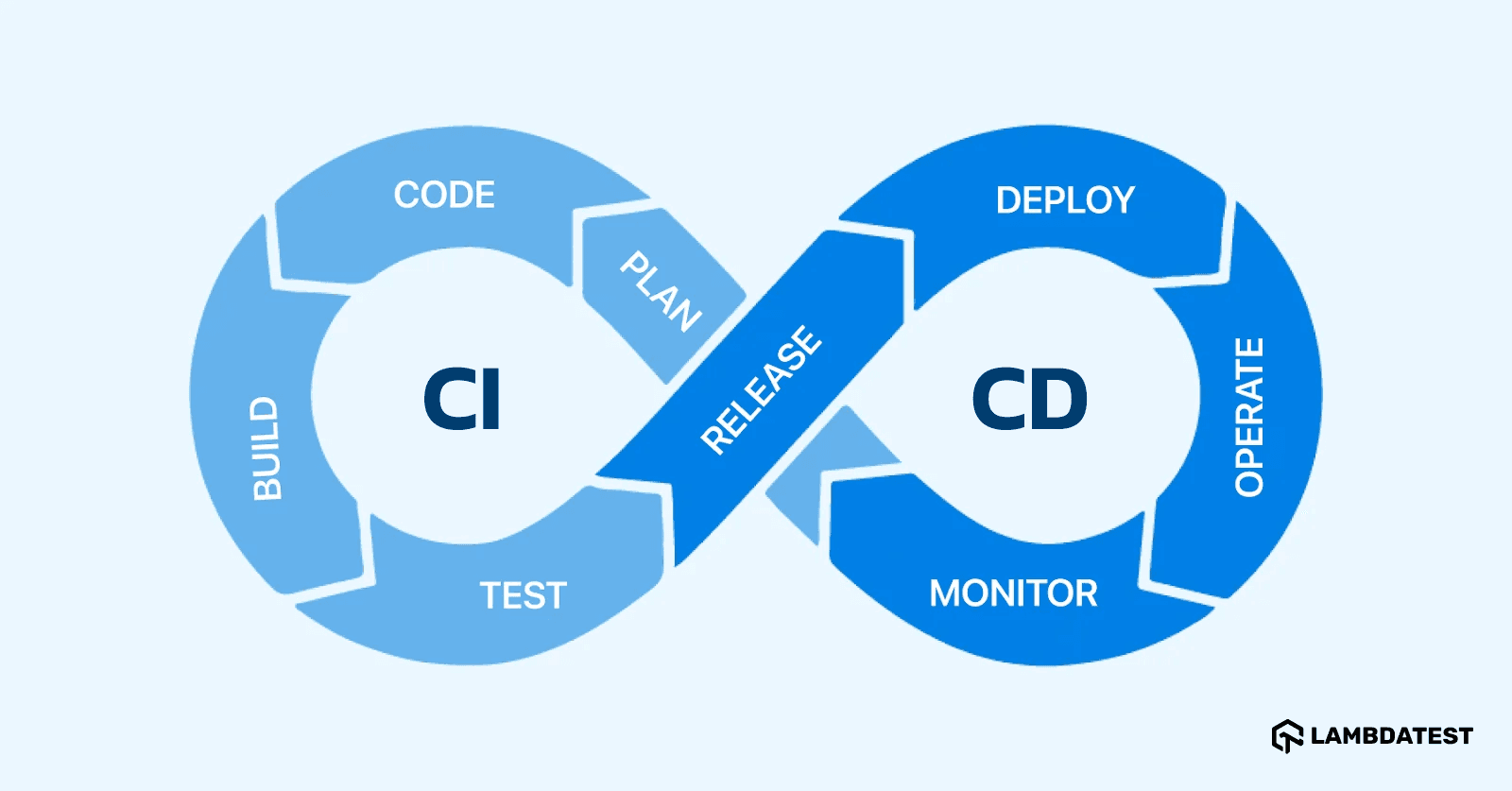
Wiring Test Automation Into CI/CD: From Manual Testing to Continuous Quality
Introduction
In many software development teams, automated tests are only executed when a QA Engineer or Automation Engineer remembers to run them. This manual approach often leads to several challenges:
- Bugs are discovered only after code has been merged.
- Developers must wait for QA feedback.
- Regression testing becomes time-consuming.
- Critical issues slip into Staging or even Production.
The solution is to integrate Test Automation into your CI/CD pipeline, ensuring that every code change is automatically validated before it reaches production.
In this article, we'll explore how to integrate a Playwright automation framework into a CI/CD pipeline and build a modern, efficient testing workflow.
What is CI/CD?
CI/CD consists of two key practices:
Continuous Integration (CI)
Whenever a developer:
- Pushes code
- Opens a Pull Request
- Merges a branch
the pipeline automatically:
- Builds the project
- Runs unit tests
- Executes automation tests
- Publishes the test results
Example workflow:
Developer
    ↓
Push Code
    ↓
GitHub
    ↓
GitHub Actions
    ↓
Install Dependencies
    ↓
Build Project
    ↓
Run Playwright Tests
    ↓
Generate Report
If any test fails:
✅ The code cannot be merged.
Continuous Delivery / Continuous Deployment (CD)
Once every automated test passes:
Deploy to Staging
       ↓
Smoke Test
       ↓
Regression Test
       ↓
Deploy to Production
Everything happens automatically with minimal manual intervention.
Why Integrate Automation into CI/CD?
Without CI/CD:
Developer fixes code
        ↓
Merge
        ↓
QA executes tests
        ↓
Bug found
        ↓
Developer fixes again
        ↓
QA retests
This creates long feedback loops.
With CI/CD:
Developer Pushes Code
          ↓
Pipeline Starts
          ↓
Automation Tests Run
          ↓
Test Fails
          ↓
Developer Fixes Immediately
Issues are identified within minutes instead of days.
Typical CI/CD Architecture
A common GitHub Actions workflow:
GitHub
   ↓
GitHub Actions
   ↓
Install Node.js
   ↓
npm install
   ↓
Install Playwright
   ↓
Run Tests
   ↓
Generate Report
   ↓
Upload Artifacts
   ↓
Notify Slack / Teams
Or with Jenkins:
Git Repository
      ↓
Jenkins
      ↓
Build
      ↓
Run Playwright
      ↓
Generate Allure Report
      ↓
Email QA Team
      ↓
Done
Running Playwright in CI
Assume the following project structure:
playwright-project

├── tests
├── pages
├── data
├── playwright.config.ts
├── package.json
When a developer pushes code:
git push origin feature/login
The pipeline automatically executes:
npm ci

npx playwright install --with-deps

npx playwright test
No manual action is required.
GitHub Actions Example
Create:
.github/workflows/playwright.yml
name: Playwright Tests

on:
  push:
    branches:
      - main
      - develop

  pull_request:

jobs:
  test:
    runs-on: ubuntu-latest

    steps:
      - uses: actions/checkout@v4

      - uses: actions/setup-node@v4
        with:
          node-version: 20

      - run: npm ci

      - run: npx playwright install --with-deps

      - run: npx playwright test

      - uses: actions/upload-artifact@v4
        if: always()
        with:
          name: playwright-report
          path: playwright-report/
Each pipeline execution automatically uploads the Playwright HTML Report as an artifact.
Jenkins Pipeline Example
pipeline {
    agent any

    stages {

        stage('Install') {
            steps {
                sh 'npm ci'
            }
        }

        stage('Test') {
            steps {
                sh 'npx playwright test'
            }
        }

        stage('Publish Report') {
            steps {
                publishHTML(...)
            }
        }
    }
}
Run Smoke Tests First
Running the entire regression suite after every commit is often unnecessary.
A better strategy:
Code Push
     ↓
Smoke Tests (5 minutes)
     ↓
Passed
     ↓
Regression Tests (40 minutes)
     ↓
Passed
     ↓
Deploy
This approach provides faster feedback while still maintaining confidence in software quality.
Parallel Test Execution
Playwright supports running tests across multiple workers.
Example:
100 Test Cases
        ↓
4 Workers

Worker 1
Worker 2
Worker 3
Worker 4
        ↓
Finished
Instead of taking:
50 minutes
execution time may be reduced to:
12 minutes
depending on the environment and test distribution.
Handling Flaky Tests
Most CI pipelines enable retries only when running in CI.
Example:
retries: process.env.CI ? 2 : 0
Workflow:
Run #1
   ↓
Fail
   ↓
Retry
   ↓
Pass
This prevents temporary infrastructure issues or intermittent failures from unnecessarily breaking the pipeline.
Capture Screenshots, Videos, and Traces
When tests fail, configure Playwright to automatically collect debugging artifacts.
use: {
    screenshot: "only-on-failure",
    video: "retain-on-failure",
    trace: "retain-on-failure"
}
Generated artifacts:
Artifacts

├── Screenshot
├── Video
└── Trace.zip
Developers and QA engineers can open the Playwright Trace Viewer to replay the entire execution step by step.
Test Reporting
Popular reporting solutions include:
- Playwright HTML Report
- Allure Report
- ReportPortal
- TestRail Integration
Example report summary:
150 Tests

145 Passed

4 Failed

1 Skipped
Reports are immediately available after the pipeline finishes.
Automated Notifications
After the test execution completes, notifications can be sent to:
- Slack
- Microsoft Teams
- Telegram
- Discord
Example success notification:
✅ Regression Tests Passed

Branch: develop

Duration: 18 minutes

Passed: 312

Failed: 0
Example failure notification:
❌ Regression Tests Failed

Failed: 5

Report:
https://...
Best Practices
1. Avoid Shared Test Data
Each test should use isolated accounts or independent datasets to prevent conflicts during parallel execution.
2. Separate Smoke and Regression Suites
- Smoke Tests: Cover critical user journeys and execute quickly.
- Regression Tests: Validate the entire application before release.
3. Keep Tests Independent
Each test case should be executable on its own without depending on previous test results.
4. Secure Sensitive Information
Never commit passwords or API keys into source control.
Instead, use:
- GitHub Secrets
- Jenkins Credentials
- Azure DevOps Variable Groups
5. Use Dependency Caching
Cache:
node_modules- Playwright browser binaries
to significantly reduce pipeline execution time.
6. Collect Complete Failure Evidence
Whenever a test fails, retain:
- Screenshots
- Videos
- Playwright Traces
- Execution Logs
This dramatically reduces debugging time.
7. Monitor Pipeline Performance
If execution time increases unexpectedly:
- Split large test suites.
- Increase the number of workers where appropriate.
- Optimize slow-running test cases.
- Remove redundant tests.
End-to-End CI/CD Workflow
Developer Pushes Code
          ↓
GitHub
          ↓
GitHub Actions
          ↓
Checkout Source Code
          ↓
Install Dependencies
          ↓
Build Application
          ↓
Run Unit Tests
          ↓
Run Playwright Smoke Tests
          ↓
Run Regression Tests
          ↓
Generate HTML Report
          ↓
Upload Artifacts
          ↓
Notify Slack / Teams
          ↓
Deploy to Staging
          ↓
Smoke Validation
          ↓
Deploy to Production
Conclusion
Integrating Test Automation into a CI/CD pipeline transforms automated testing from an occasional manual activity into a continuous quality gate for every code change. By validating each commit automatically, teams can detect defects earlier, shorten feedback loops, and deliver software with greater confidence.
For teams using Playwright, combining it with platforms such as GitHub Actions, Jenkins, Azure DevOps, or GitLab CI enables powerful capabilities including parallel execution, automated reporting, artifact collection, retry mechanisms, and real-time notifications. A well-designed CI/CD pipeline not only improves software quality but also accelerates release cycles, allowing development teams to ship features faster without compromising reliability.